
Off
Information Systems & Technology
DocuSign
- Campus Services
- Budget Office
- Campus Controller
- Campus Planning and Design
- Career and Professional Development
- Community Relations
- Event Operations
- Facilities Management
- Fire & Life Safety
- Institutional Compliance and Internal Audit
- Institutional Research and Decision Support
- Legal Affairs
- Mail Services
- Parking Services
- Public Safety
- Strategic Marketing and Communications
- Sustainability
- Copy Jobs
- Campus Resources
- Software
- Adobe Acrobat Pro
- Adobe Creative Cloud
- ArcGIS
- Canva
- Canvas
- Chapman Syllabus
- Chemdraw
- Concur
- CrashPlan
- Dedoose
- DocuSign
- Dropbox
- Encryption Software
- EndNote
- Grammarly Premium
- Google NotebookLM
- Google Workspace
- Interfolio
- Mathematica
- MatLab
- Mnova
- Notability
- NVivo
- Microsoft 365 Tools
- Panther Analytics
- Poll Everywhere
- Qualtrics
- SAS
- SPSS
- STATA
- Survey and Form Comparison
- Microsoft Virtual Desktop (VLAB)
- Yuja Video Platform
- Zoom
»DocuSign

DocuSign is an eSignature and digital transaction management platform that lets users send, sign, track, and manage documents securely online. It supports workflows like contract signing, approvals, and agreements, replacing paper-based processes with streamlined digital workflows.
What it does
- Enables users to upload documents (PDFs, Word docs, etc.) and send them for signature.
- Recipients can sign electronically via web or mobile.
- Tracks status: who has viewed/signed, reminders, and audit trail.
- Ensures legal/compliance standards for e-signatures and secure storage.
Who has access
This tool is available to all Chapman University faculty and staff to:
- Obtain signatures on agreements.
- Manage signature workflows across units/departments.
- Digitally track and archive signed documents.
- Replace paper-based signing with remote, mobile-friendly signing.
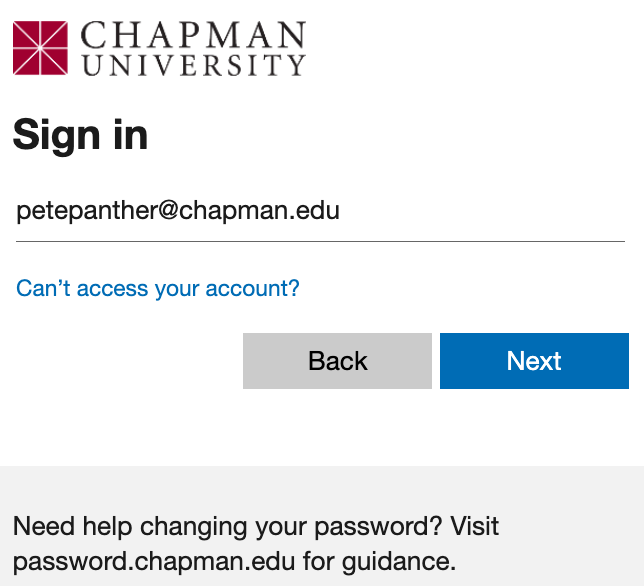
Logging Into DocuSign
- Click on the DocuSign login link.
- Enter your Chapman University Email.
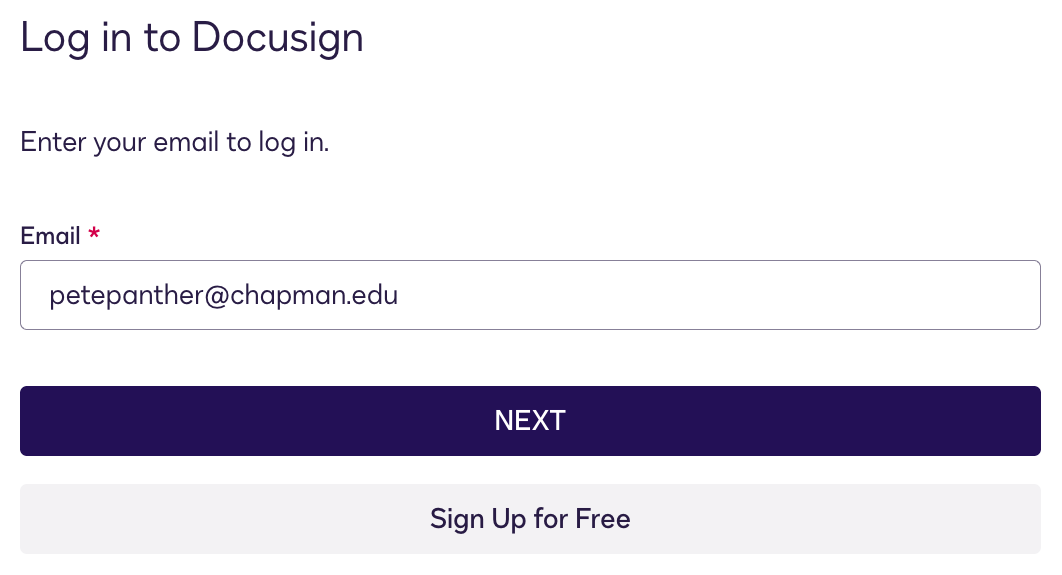
- Log in Via Single Sign-on.
Considerations and Training
Toggle SectionConsiderations
- Ensure the proper user roles and permissions are assigned (sender, signer, administrator).
- When sending documents, confirm the signing order, required fields, and recipient email addresses to avoid delays.
- Double-check that all attachments and supporting documents are included before sending.
- Monitor the document’s status to ensure all parties complete their actions before expiration.
- Download or archive fully executed documents according to departmental recordkeeping policies.
- For more advanced usage patterns and for technical issues, contact the Service Desk.
Training
- DocuSign University (Training on common DocuSign integrations).
- Live training offered by DocuSign.
- DocuSign video library.
- DocuSign support.
- eSignature basics for senders.
1:1 Training
To receive an overview of the platform, schedule a training consultation with IS&T.
- Software
- Adobe Acrobat Pro
- Adobe Creative Cloud
- ArcGIS
- Canva
- Canvas
- Chapman Syllabus
- Chemdraw
- Concur
- CrashPlan
- Dedoose
- DocuSign
- Dropbox
- Encryption Software
- EndNote
- Grammarly Premium
- Google NotebookLM
- Google Workspace
- Interfolio
- Mathematica
- MatLab
- Mnova
- Notability
- NVivo
- Microsoft 365 Tools
- Panther Analytics
- Poll Everywhere
- Qualtrics
- SAS
- SPSS
- STATA
- Survey and Form Comparison
- Microsoft Virtual Desktop (VLAB)
- Yuja Video Platform
- Zoom