• Picture of Schmid Gate at Chapman University.
Information Systems & Technology

Adobe Creative Cloud

»Adobe Creative Cloud
Adobe Creative Cloud Logo.
Creative Cloud is Adobe’s suite of creative software, which includes Acrobat Acrobat DC, Photoshop, Illustrator, InDesign, Premiere, and more.

Available To: Faculty, staff, and students who need the software to complete coursework or the performance of their job duties. We recommend the use of Adobe Express and Canva wherever possible.

For students: Adobe Express is available by default. Full Creative Cloud Suite application licenses (Photoshop, Premiere, InDesign, etc.) are available for those students who need the software to complete course requirements upon request. Adobe Creative Cloud Licenses will automatically expire at the end of each semester.

For faculty and staff: Adobe Acrobat Pro and Adobe Express are available by default. A limited number of Creative Cloud Suite application licenses are available upon request. We encourage the use of Adobe Express or Canva as a primary tool. Adobe Creative Cloud Licenses will automatically expire at the end of each semester.

Apps and Services Included in the Adobe Creative Cloud Suite


Toggle Section

Applications

 
Application Description
Adobe Photoshop

Create images, rich graphics, and art.

Adobe Illustrator

Create vector-based graphics and illustrations for print, web, video, and mobile.

Adobe InDesign

Design professional layouts for print and digital publishing.

Adobe Bridge

Browse, organize, and search your photos and design files in one central place.

Adobe Acrobat Pro

Create, protect, sign, collaborate on, and print PDF documents.

Adobe Dreamweaver

Design, develop, and maintain standards-based websites and applications.

Adobe Animate

Create interactive animations for multiple platforms.

Adobe Premiere Pro

Edit video with high-performance, industry-leading software.

Adobe After Effects

Create industry-standard motion graphics and visual effects.

Adobe Audition

Record, mix, and restore audio for broadcast, video, and film.

Adobe Media Encoder

Automate the process of encoding video and audio.


AI Features and Services

 
Application Description

Standard Firefly generative AI features (does not include video)

1000 credits. Credits allow the use of standard generative AI features powered by Firefly in Creative Cloud apps. Standard features generally use one credit per generation for features like Generative Fill in Photoshop. Credits are per user per month. We do not have access to firefly.adobe.com.

Acrobat AI Assistant and PDF Spaces

5 lifetime credits. Speeds up research, teaching prep, and administrative tasks. Collect files and links to create knowledge hubs.


Exclusive Creative Cloud Apps

 
Application Description

Adobe Illustrator on iPad

Create beautiful graphics, design packaging, or draw works of art with the most advanced vector design tool on the iPad Pro.

Adobe Character Animator

Animate your 2D characters in real time.

Adobe InCopy

Professional writing and editing solution that integrates with Adobe InDesign.

Adobe Photoshop Lightroom Classic

Organize, edit, and batch process digital photos with a desktop-focused app.

Adobe Photoshop Lightroom

Edit, organize, and share images anywhere, anytime.

Adobe Express

Powerful, easy-to-use app for visual communication in any subject.

Ecosystem of Tools Includes:

 
Application Description

Adobe Substance 3D Stager

Build 3D scenes, set up assets, lights, and cameras for virtual photography, export/share media, and publish to web or AR. (Stager not yet available on Apple M1 chips.)

Adobe Substance 3D Painter

An authoring app enabling painting 3D textures on models and meshes in real time.

Adobe Substance 3D Designer

Parametric authoring tool offers unparalleled artistic control over the creation of materials, image filters, and dynamic geometry.

Adobe Substance 3D Sampler

An intuitive authoring tool to create materials for 3D by leveraging real-life images.

Mobile Apps

 
Application Description

Photography apps: Lightroom for mobile, Photoshop on the iPad, Photoshop Express, Photoshop for web and mobile

Bring the power of Adobe digital imaging to your mobile devices, with full Photoshop and Lightroom compatibility.

Design apps: Adobe Fresco for iPad Pro and Windows, Illustrator on iPad, Adobe Scan*

Draw and paint expressively, create beautiful graphics, and turn paper documents into PDFs.


*Adobe Fresco is available on all iPads running iOS 12.4, but Adobe recommends an iPad Pro compatible with Apple Pencil. Limited release on Windows 10 restricted to Surface Pro, Surface Book, Surface Studio, and Wacom Mobile Studio Pro.

Additional Apps and Services

 
Application or Service Description

Creative Cloud Libraries

Make your favorite assets available to you and your group anywhere.

Adobe Fonts

25,000+ fonts from foundry partners within one library for quick browsing, easy use on the web or desktop, and endless typographic inspiration.

Device Preview

Get precise, in-context, real-time previews of your mobile app and responsive web designs on actual devices.

Behance

Showcase and discover creative work.

Adobe Portfolio

Build and manage your personal profile site.

Adobe Lightroom for mobile

Edit, organize, and share images anywhere, anytime with a powerful companion app to Lightroom for desktop.

Publish Online

Publish any InDesign document online and share across social networks, providing an HTML experience.

PDF Services

Work with essential PDF tools to store and share files online and to create, combine, export, organize, fill and sign, and send and track documents.

Adobe Stock

Access millions of royalty-free images, graphics, templates, 3D models, videos, and premium content right inside your Creative Cloud apps.


Important note: Your Adobe license will elapse 30 days after your account becomes inactive.


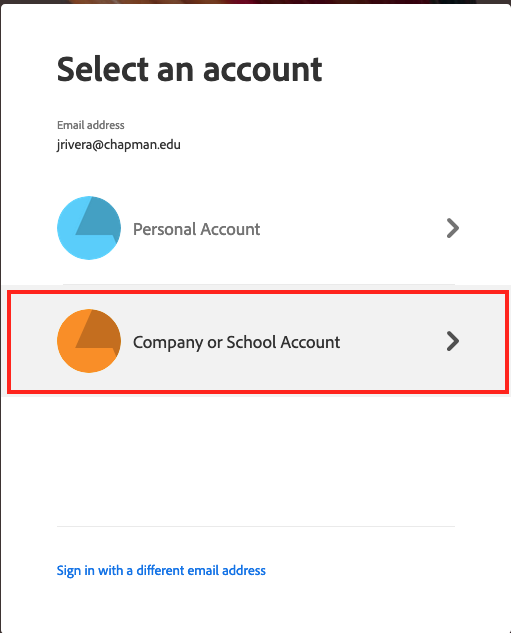
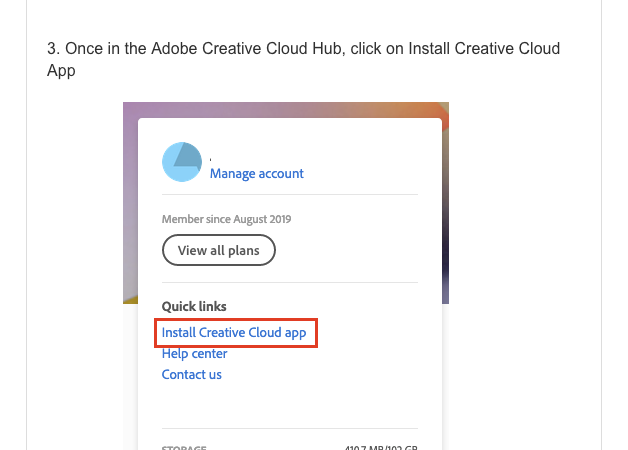
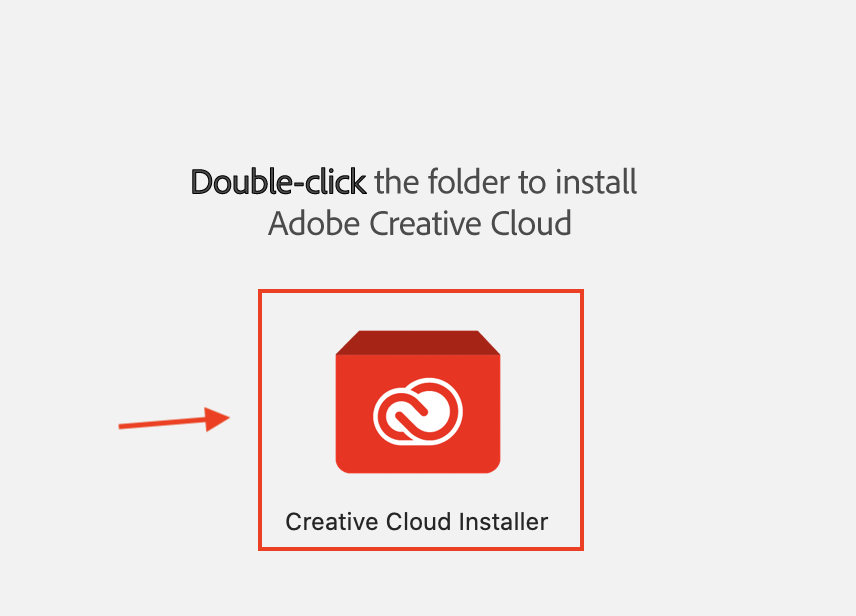
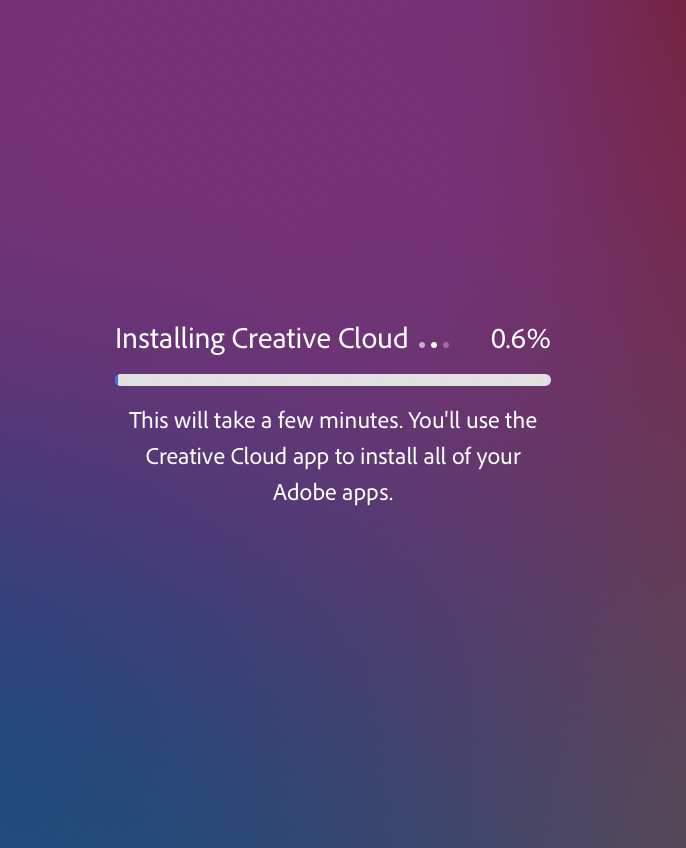
How To Install on a Computer


Toggle Section

Additional Resources


Toggle Section

Need Adobe Training?

There are many good tutorials for beginners to advanced users available for staff, students, and faculty on the Adobe Creative Cloud Tutorials website. Students, faculty, and staff have full access to online self-training videos and tutorials.

Post Graduation Data Migration

To move your data, visit graduation.adobe.com. Although this tool is called Student File Transfer, it's available for faculty, staff, and students. Please note that Adobe Portfolio is not currently supported by this tool, and according to Adobe Engineering, this continues to be a work in progress. In the meantime, we recommend that students use Adobe's Portfolio transfer service. Review Adobe's Student File Transfer (formerly Student Asset Migration)article for reference.

Review Adobe's Student File Transfer (formerly Student Asset Migration) article for reference.

Frequesntly Asked Questions

Q. If we already have Adobe apps installed, Will the software/app automatically be removed from our devices?
A.No, the software will not be automatically removed. However, if you do not request and receive a full Adobe Creative Cloud Suite license, your access will be revoked at the start of the Fall 2025 semester. You should back up your work in advance, especially if it's stored in Adobe apps like Photoshop or Illustrator. Files in Adobe Express are not expected to be impacted.

Q. Do we need to request a license for faculty and staff for Adobe Acrobat Pro and Adobe Express (web)?
A. No, you do not need to request a license for these two tools. Both Adobe Acrobat Pro and Adobe Express (web) will be automatically available to all Chapman faculty and staff.

Q. Do we need to update our devices to access Adobe Acrobat Pro (staff and faculty) and Adobe Express (web)?
A. No updates are required if you already have these apps installed or use the web version. You just need to sign in with your Chapman credentials.

Q. How many devices can a user have access to?
A. Adobe's current policy allows you to install Adobe Creative Cloud apps on up to two devices. This includes both Chapman-owned and personally-owned computers.

Q. Do students get access to Adobe Acrobat Pro?
A. Students don't automatically get access to Adobe Acrobat Pro.

Q. Is there a discount for Chapman employees or students who want to purchase the Adobe Creative Cloud Suite for personal use?
A. There are currently no official Chapman-specific discounts offered. However, Adobe does offer educational discounts directly through its website at Adobe Creative Cloud Pro for students and teachers | Adobe Creative Cloud.