- Keck - First Floor
- Beckman Hall - Starbucks
- Crean Hall - Lobby
- Rinker 9501 - Student Commons

Off
Information Systems & Technology
Portable Chargers
- Campus Services
- Budget Office
- Campus Controller
- Campus Planning and Design
- Career and Professional Development
- Event Operations
- Facilities Management
- Fire & Life Safety
- Institutional Compliance and Internal Audit
- Institutional Research and Decision Support
- Legal Affairs
- Mail Services
- Marketing and Public Affairs
- Parking Services
- Public Safety
- Sustainability
- Copy Jobs
- Campus Resources
- Marketing and Public Affairs
- Services
- Cloud Storage
- Computer Classrooms
- Computing for Resident Halls
- Data Migration
- Forms
- ID Cards, Encoders, Door Readers
- Media Services
- PantherBot
- Portable Chargers for Students
- Printing for Students
- Personal Technology Purchases
- Scheduling Panels
- Service Desk
- Telecommunications
- Technology for Online/Blended Courses
- Technology Project Management
- Videoconferencing Tool Comparison
- Virtual Tech Hub
- Voicemail
- WiFi Calling
- Wireless Network
»Portable Chargers for Students
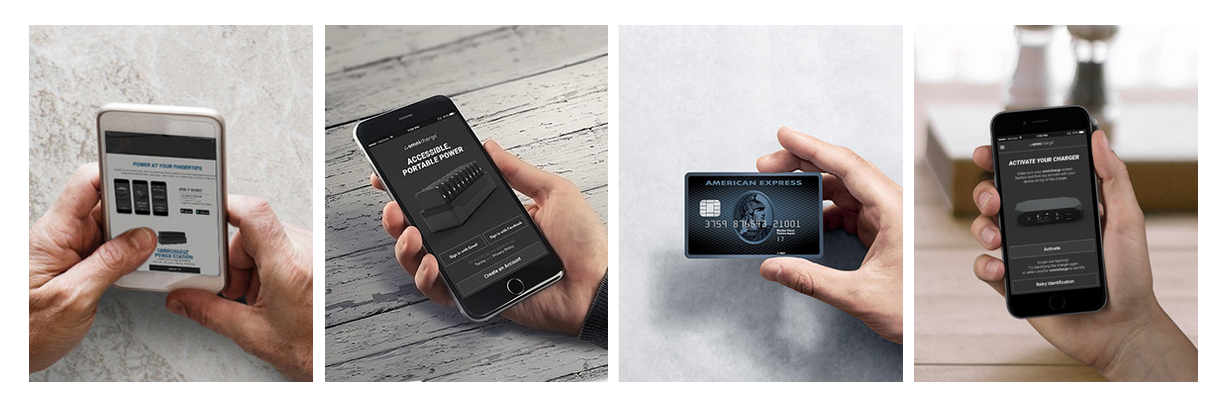
Portable chargers are available for checkout to all Chapman University students. Download the Omnicharge app (available on Android and iOS), create an account, and your device will begin charging.
Chargers are located at:

Toggle Section
Omnicharge Mobile Instructions
Step 1
- Go to omnicharge.co/app on your smartphone or tablet
- Download the "Omnicharge" app.
Step 2
- After downloading the app, create an account using your Chapman University email address.
Step 3
- Before activating a charger, valid debit/credit card information will be required.
Step 4
- Once your account is created, follow the remaining instructions to activate the charger.
- Once activated, the charger will power on and begin charging your connected device.
- Services
- Cloud Storage
- Computer Classrooms
- Computing for Resident Halls
- Data Migration
- Forms
- ID Cards, Encoders, Door Readers
- Media Services
- PantherBot
- Portable Chargers for Students
- Printing for Students
- Personal Technology Purchases
- Scheduling Panels
- Service Desk
- Telecommunications
- Technology for Online/Blended Courses
- Technology Project Management
- Videoconferencing Tool Comparison
- Virtual Tech Hub
- Voicemail
- WiFi Calling
- Wireless Network