
Chapman asks for unofficial transcripts so that we can track the coursework you’re bringing with you to the University. The work-in-progress on your transcript will serve as a “placeholder” on your transfer credit report. When you go through advising before registration, our Academic Advising Center can see what you are currently taking, even though you might not yet have completed the course(s).
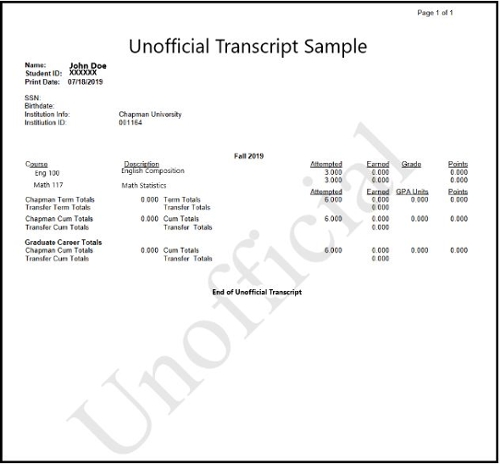
You can see a sample unofficial transcript below. An unofficial transcript is a document that will contain your:
- Full legal name
- College of attendance
- Term of attendance
- Coursework you’re registered to take, with course titles and unit counts. You should be able to view your registered coursework even though you do not yet have a grade(s) for your work in progress.
Requesting Unofficial Transcripts
If you are already registered for coursework, your college should have a process in place to request an unofficial transcript from a student portal. Student portals are usually the places where you initially register for courses.
We recommend you try to first call your specific college institution’s administration or records office if you are having trouble locating how to access your unofficial transcript within your student portal.
If you need any assistance finding your unofficial college transcript, please contact transfers@chapman.edu for assistance.