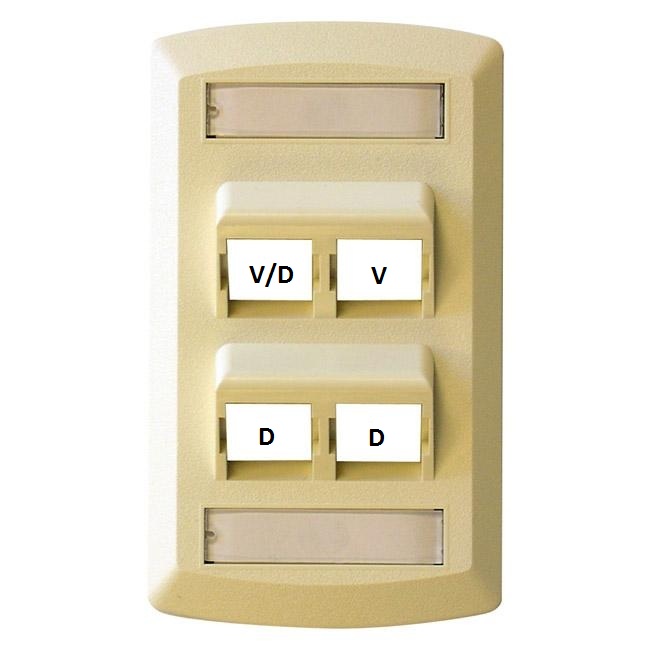
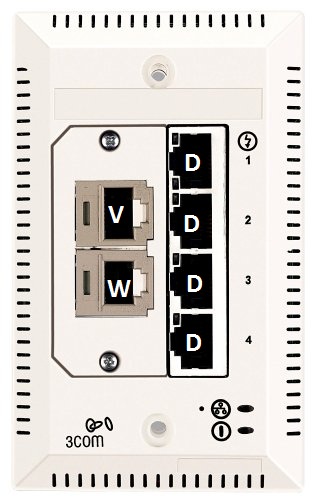
There are many factors that can affect the performance of your computer on the residential
network. Please follow this checklist to make sure your computer is configured for
optimal performance.
Make sure your computer is not infected with a virus and the antivirus software is
updated with the latest anti-virus data files.
Check to see if your computer is infected with spyware. Spyware is the most common
cause of poor network performance on the residential network. You should download
and install one or more anti-spyware programs and run them frequently to remove spyware
infections from your computer.
For the best performance on Chapman's network, you should use an Ethernet cable which
can be purchased at Chapman's bookstore or any electronic store.
Wireless Network Performance
Most of the rooms and public areas of Chapman's residence halls are covered by the
campus wireless 802.11 b/g network. Your computer must be configured properly in order
to access the Chapman wireless network. Please contact the Service Desk for assistance
with configuring your computer for connecting to the Chapman wireless network.
There are a number of factors that can affect the performance of the wireless network
such as:
- Personally owned firewall/router devices. Many students bring their own firewall/routers
to campus. These routers can become "rogue" DHCP servers and can give invalid IP addresses
to other student computers – preventing the other student computers from accessing
the Internet. These "rogue" devices will interfere with Chapman students trying to
connect to Chapman’s wireless network. Chapman does not allow personally owned firewall/routers
to be used on the network. Students are subject to disciplinary action by the Student
Conduct Committee if they violate the policy of installing personal firewall/routers.
- Personally owned wireless access nodes. Many students bring their own wireless access
nodes to campus and connect them to our wired network. These "rogue" wireless access
nodes prevent other students from connecting to the Chapman network. If you are having
trouble connecting to Chapman’s wireless network, please call the Service Desk at
(714) 997-6600. Students are subject to disciplinary action by the Student Conduct
Committee if they violate the policy of installing personal access points and personal
gateways.
- Personally owned wireless printers. Wireless printers act as "rogue" wireless access
nodes which prevent other students from connecting to the Chapman network. Also, a
wireless printer will allow any student to be able to use your printer during anytime
of the day. To use any printer in your room, you need to buy a USB cable and connect
the printer to your computer via USB.
- Bridged network interfaces. Some students have, perhaps by accident, configured their
computers to bridge the Ethernet and wireless interfaces on their computers. This
interferes with connectivity. If you use the wireless interface on your computer please
make user that it is not bridged with the Ethernet interface.
- 2.4 GHz cordless phones. The wireless 802.11b/g network operates at 2.4 GHz. Cordless
phones that also operate at 2.4 GHz can cause interference with wireless network signals.
Older cordless phones that operate at 900 MHz and newer cordless phones that operate
at 5.8 GHz do not interfere with the wireless data network. 900 MHz and 5.8 GHz cordless
phones are permitted but 2.4GHz cordless phones are prohibited in the residence halls
because they can interfere with the wireless network.
- Microwave Ovens. These ovens also operate at 2.4 GHz and can interfere with wireless
network signals. Microwave ovens are prohibited except for the ones in the "micro
fridge" units that you can rent from the Housing Office.