Feb 9, 2012 70°F/21°C weather forecast  MyWindow Portal
ACADEMICS > Academic Advising > New Students (Freshmen) Academic Advising


Get Acrobat Reader


Incoming Freshmen

Spring 2012

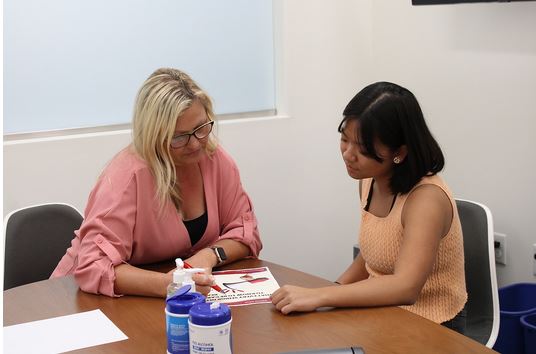
All incoming freshmen have an advising hold on their account and must complete academic advising prior to registering for courses. You have the option to schedule an individual advising appointment with a professional advisor in the Academic Advising Center or to complete an online advising tutorial. Your registration hold will be lifted only after you complete mandatory advising. 

Advising Options:
  1. In person Advising: To schedule an in person advising appointment please call the Academic Advising Center at 714-744-7959. Advising appointments will begin on Tuesday, December 6th. PLEASE NOTE: If you arrive more than 5 minutes late, you may be asked to reschedule your appointment.

  2. Online Advising: This option is available for students who are not local to the Southern California area and those who are comfortable receiving important information in an electronic environment. The tutorial will cover all the same information as the individual advising session, and phone support will be available through the Academic Advising Center after the tutorial is completed. Students who choose this method must complete the Academic Advising Tutorial in its entirety in order to have their registration hold lifted. The tutorial will be available on December 5th.
Steps to Advising and Course Registration:
  1. Complete the math placement test if necessary.  All students who have not been waived out of Math 98/99 based on SAT scores will be required to take the online math placement exam.  You can check for Math 98/99 waivers on WebAdvisor through your program evaluation. 

  2. Take the Language Placement Test. Login to blackboard (available under "quick links" on the Chapman homepage)
     
  3. Select an advising method.  If you select in-person advising, please call the Academic Advising Center at 714-744-7959 to RSVP for a workshop.  Advising should be completed before your assigned registration date.

  4. Determine your assigned registration date.  You can view your assigned date and time by logging in to WebAdvisor, and clicking on "registration eligibility."  Registration dates are randomly assigned, and cannot be changed.  You can register anytime on or after your assigned date.  Dates will be assigned and available on WebAdvisor starting December 12th.

  5. Review the first term courses for your major.  You will receive a copy of these documents during your advising session (either in-person or online).

  6. Select a math course.  If you are placed in Math 98 or 99, it is required that you enroll in these courses in your first term, and that you complete these courses before the end of your first year at Chapman.  If you place into Math 104 or GE Math, you are not required to take math in your first semester, although it is recommended.  You will receive more information about this in your advising session.

  7. Register for a Freshman Foundations course. All students are required to take a Freshman Foundations course in their first semester of their freshman year.

  8. Fill in the rest of your schedule with General Education courses.  You can select courses from any area of the General Education program.  More information will be provided in your advising session. 

  9. Build your preferred list in WebAdvisor.  Step by step instructions will be provided in your advising session.  You may also want to utilize the registration worksheet to aid in your planning.

  10. Register for courses.  All course registration is completed online through WebAdvisor, on or after the student's assigned registration date and time.  Students will not be able to register until the advising requirement is completed.


©2011 Chapman University • One University Drive, Orange, CA 92866 • Phone: (714) 997-6815
Website Powered by ActiveCampus™ Software